LiDAR Models for Engineering Workflows: From Point Cloud to Decision
LiDAR Models Built to Drop Straight Into Your Engineering Workflow
Most articles about drone LiDAR stop at the flight. The drone takes off, the laser fires, the point cloud comes home. That is the easy part. The work that actually drives engineering decisions starts after we land. This page covers what shows up on your engineer's screen Monday morning. The models, the file formats, the CAD integration, the interactive viewer, and how the deliverable plugs into the design and construction decisions you are already making.
What We Mean by "LiDAR Models"
"LiDAR models" is shorthand for the family of 3D and 2D data products we generate from a drone LiDAR mission. Each model serves a different decision in your workflow:
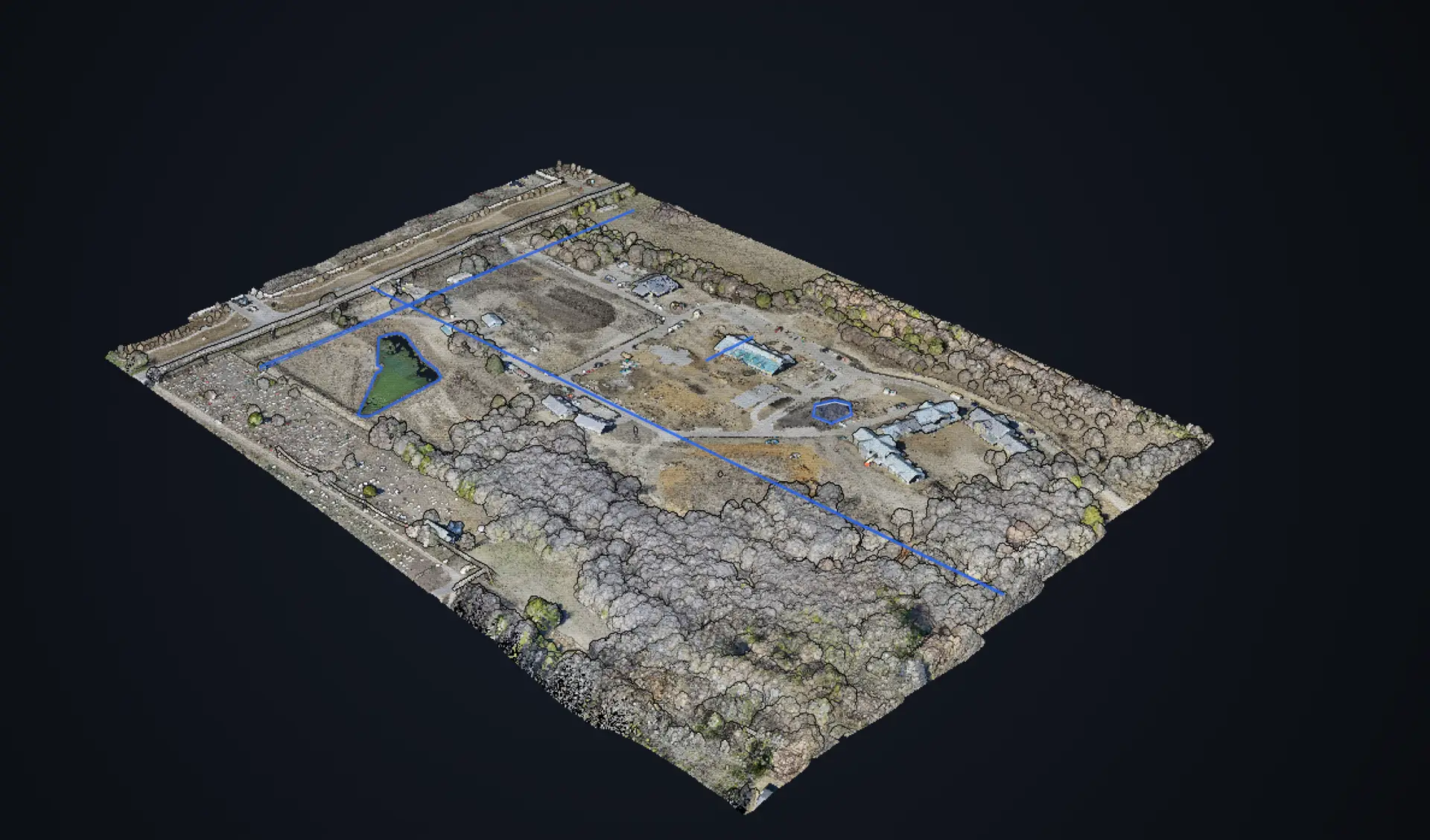
- Classified point cloud (LAS/LAZ). Every laser return tagged as ground, vegetation, building, or other. The raw asset your CAD and GIS tools work from.
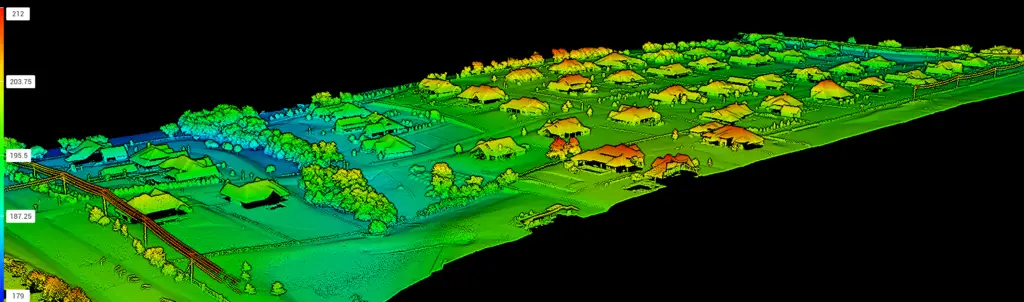
- Digital Terrain Model (DTM). Bare-earth elevation grid with vegetation and structures stripped out. The foundation for grading, drainage, and earthwork design.
- Digital Surface Model (DSM). Top-of-everything elevation grid (canopy, rooftops, equipment). Used for line-of-sight, solar studies, and viewshed analysis.
- Topographic contour lines (DWG/DXF). 1-foot or 2-foot contours generated from the DTM, ready to drop into your sheet set.
- 3D mesh model (OBJ/FBX). Textured 3D surface for visualization and presentation.
- Volumetric models. Cut/fill heat maps, stockpile volumes, balanced grade calculations.
- Cross sections and profiles. Channel cross sections, road profiles, and arbitrary slices through the data.
What you order depends on what decisions the data needs to support. We start every job by asking what design tools you use and what the engineering question is. Then we deliver the right model in the right format.
How LiDAR Models Plug Into Your CAD Workflow
The deliverable is only useful if your engineers can open it in the tools they already use. We deliver in the formats your design environment expects, and we test the imports before we send the data.
AutoCAD and Civil 3D
The most common destination for our deliverables. Point clouds import via Autodesk ReCap as RCP/RCS files referenced into the drawing. DTMs come in as TIN surfaces ready for grading and earthwork analysis. Topographic contours arrive as DWG or DXF with 3D polylines, layered and ready to plot. Cross sections and channel profiles import as ground definitions for corridor models. Engineers run cut/fill, alignment design, and grading directly off the LiDAR-derived surface.
Revit and BIM Workflows
For BIM teams, we provide point clouds in formats Revit can reference (RCP/RCS) for as-built modeling and existing-conditions documentation. The point cloud overlays the design model so structural and MEP teams see exactly where the new work meets the existing site. For coordination across disciplines, we can export to IFC for handoff into Navisworks, Revizto, and other clash detection platforms.
GIS and Spatial Analysis
For ArcGIS Pro, QGIS, and Global Mapper users we provide GeoTIFF rasters (DTM and DSM), shapefiles for vector deliverables, and projected point clouds in your preferred coordinate reference system. NAD83 Texas State Plane North Central, WGS84, and project-specific CRSs are all supported.
Hydrologic and Drainage Modeling
HEC-RAS, ICPR4, AutoCAD SSA, and similar tools accept the DTMs and cross sections we produce. The bare-earth elevation data is the input these models need, and we tune the point cloud classification so the ground surface inside channels and under bridges is clean.
Interactive 3D Models for Stakeholders Without CAD
Not everyone on the project team has AutoCAD on their machine. Owners, project managers, regulators, contractors, and clients often need to see the data without installing software or opening a drawing. We solve that with Stitch3D, a browser-based 3D viewer designed for reality capture deliverables.
What you and your stakeholders get with a Stitch3D delivery:
- Browser-based viewing with no software install. Anyone with a link opens the model in Chrome or Edge.
- Real-time collaboration. Up to 50 people can be in the same scene at once. Useful for design reviews where the engineer, owner, and contractor all look at the same point cloud together over a video call.
- Built-in measurement tools. Distance, area, cut/fill volume, height profiles, and slice views are all available in the viewer. No CAD license required to verify a quantity.
- Layered models. Overlay the LiDAR point cloud with photogrammetry, design overlays, and satellite basemaps in one view.
- Project organization. Track multiple projects, manage user access, and share specific models with specific clients securely.
- Large file support. Point clouds up to 1TB stream from the cloud without zipping, shipping, or downloading.
For stakeholders this changes the conversation. A project manager who used to wait two days for the surveyor to send a PDF can now open the live point cloud, drop a measurement, and answer the question on the call.
How Engineers Use LiDAR Models to Make Decisions
The model is a means, not an end. The point is the decision the model unlocks. A few of the calls we hear:
- Grading and earthwork design. Civil engineers drop the DTM into Civil 3D, design the new pad, and run cut/fill against the existing surface. The contractor bids off the same model.
- Constructability review. Design teams check whether trucks and equipment can physically reach the work area given existing slopes and tree lines visible in the point cloud.
- Clash detection on retrofits. Revit teams overlay the design model on the LiDAR scan and find the unexpected (an old transformer, an overhead utility, an out-of-plumb wall) before it becomes an RFI.
- Drainage and stormwater design. Hydrologic engineers run flow paths and detention sizing on a real, vegetation-free DTM rather than a stale county elevation tile.
- Volume verification and dispute resolution. Two parties disagree on stockpile or earthwork quantities. We fly the site, deliver a verified volume report, and the conversation moves on.
- Documentation for change orders. The point cloud captures site conditions on a date. When the scope changes mid-project, the LiDAR record supports the change order with measurable evidence.
Our Handoff Process
We do not ship a generic data package and walk away. Every deliverable starts with a conversation about your design tools, the engineering question, and the format your team needs.
- Scoping call. What software do your engineers use. What decision does the data need to support. What accuracy and density are required.
- Flight and processing. Survey-grade flight with RTK and ground control. Point cloud classified, deliverables built.
- Format match. Files exported in the formats and CRS your team imports cleanly. Tested in CAD before we send.
- Stitch3D link. Cloud-hosted interactive viewer for stakeholders who need to see the data without CAD. Access controlled per project.
- QA and walkthrough. We send a brief video or call walking your team through the deliverables and how they import. Less time fishing for the right import button.
Most jobs deliver inside 48 hours of the flight. Larger projects (200+ acres) deliver in 3 to 5 business days.
Talk to Us About Your Project's Workflow Integration
If the question on your desk is whether drone LiDAR data will plug into your specific design tools, the answer is almost always yes. We have delivered into Civil 3D, Revit, ArcGIS, Global Mapper, HEC-RAS, Trimble Business Center, Carlson, and others. Tell us your stack and we will match the deliverables to it.
For a quote on a specific project, see our drone LiDAR mapping service page.
Need LiDAR models that drop into your CAD workflow?
Call 972-314-9500 or email info@collincountydrone.com.
Talk to a LiDAR Pilot